GIT and GITHUB
Git beginners commands that help to set your Git and GitHub.

First of all download GIT from the given link :
After downloading it successfully, open GIT and run the command I mentioned below,
Home Directory
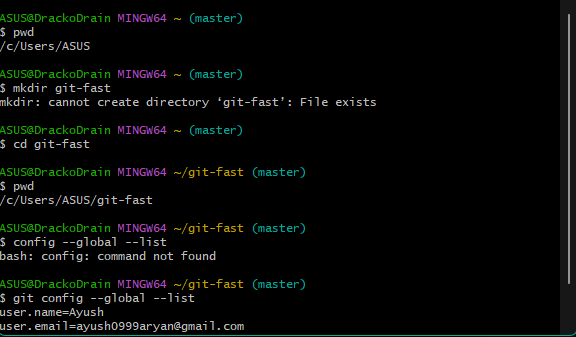
$ pwd
$ mkdir git-fast
$ cd git-fast
$ pwd
$ git config --global --list
$ git config --global user.name "Ayush Aryan"
$ git config --global --list
$ git config --global user.email "ayush0999aryan@gmail.com"
$ git config --global –list
// These following two lines you can skip
// If you are stuck in GIT after applying the vi command
// press ‘I’ and then press ‘:’ and then press ‘wq’
//Press Enter
# vi is the editor, ~ is the home directory
$ vi ~/.gitconfig
$ cat .gitconfig
// If you get stuck anywhere use
# for general help
$ git help
# for list of sub-commands
$ git help -a
# For a list of concept guides
$ git help -g
Congrats you successfully added the .git repository to your folder
NOW you can do anything you want to do with your GIT.

